자바를 하면서 가장 중독성 있었던것을 꼽아보라고 하면 단연 수많은 오픈소스 프레임워크가 아닐까 생각해 본다.
검색엔진에 대한 아무런 지식이 없는 상태인 나는 검색엔진 구현을 해야 하는 상황에서 어떻게 해야 할까 고민하다가 무턱대고 Lucene in Action을 덜컥 구매해 버렸다.
그리고 보다보니깐 참 이해 안되고, 책 내용도 자꾸 웹과는 거리가 있는 콘솔상에서의 구현에 집중되어있고 인터넷을 검색해 봐도 다 이해할수 없는 예제였고, 아무튼 그렇게 루씬을 공부했다.
이제 꽤나 루씬을 이해하고 있고, 이제 내가 아는 지식을 공개해야 할때인듯 하다. 물론 내가 아는 지식도 매우 기초적인것이라 나역시 초보를 위한 강좌밖에 못할듯 하다.
현존하는 루씬의 강좌나 자료들이 2.0이전 버젼들을 대상으로 제작되어있고, 그 이전버젼들은 한글에 대한 Analyzer버그가 있다.
고로 나는 처음부터 2.0으로 해왔다. 그래서인지 Lucene in Action책을 보고 따라하기엔 다른것이 많아 지식 습득에 조금 문제가 있었다. 앞으로 쓰는 모든 글은 2.0으로 제작할것이며, 한글 문제가 없는 버젼이다.
우선 간단하게 공부해 볼수 있는 루씬 클래스입니다. 공부에 참고만 하세요^^
[CODE]package ke.pe.theeye.search;
import java.io.IOException;
import java.util.ArrayList;
import java.util.List;
import org.apache.lucene.analysis.Analyzer;
import org.apache.lucene.analysis.SimpleAnalyzer;
import org.apache.lucene.analysis.WhitespaceAnalyzer;
import org.apache.lucene.analysis.standard.StandardAnalyzer;
import org.apache.lucene.document.Document;
import org.apache.lucene.document.Field;
import org.apache.lucene.document.Field.Index;
import org.apache.lucene.document.Field.Store;
import org.apache.lucene.index.IndexWriter;
import org.apache.lucene.queryParser.ParseException;
import org.apache.lucene.queryParser.QueryParser;
import org.apache.lucene.search.Hits;
import org.apache.lucene.search.IndexSearcher;
import org.apache.lucene.search.Query;
import org.apache.lucene.store.Directory;
import org.apache.lucene.store.FSDirectory;
public class SearchEngine {
private static SearchEngine instance;
private Analyzer standardAnalyzer;
private Analyzer whitespaceAnalyzer;
private Analyzer simpleAnalyzer;
private Analyzer currentAnalyzer;
private String directory;
private static final int STANDARD = 0;
private static final int WHITESPACE = 1;
private static final int SIMPLE = 2;
public static SearchEngine getInstance() {
if (instance == null) {
synchronized (SearchEngine.class) {
if (instance == null)
instance = new SearchEngine();
}
}
return instance;
}
private SearchEngine() {
instance = null;
currentAnalyzer = null;
standardAnalyzer = new StandardAnalyzer();
whitespaceAnalyzer = new WhitespaceAnalyzer();
simpleAnalyzer = new SimpleAnalyzer();
}
public boolean setIndexDirectory(String directory) throws IOException {
if (this.currentAnalyzer == null) {
return false;
}
this.directory = directory;
Directory fsDir = null;
IndexWriter writer = null;
try {
fsDir = FSDirectory.getDirectory(directory, false);
if (!fsDir.fileExists(“segments”)) {
writer = new IndexWriter(this.directory, currentAnalyzer, true);
}
} finally {
if (writer != null)
try {
writer.close();
} catch (IOException ex) {
};
if (fsDir != null)
try {
fsDir.close();
} catch (IOException ex) {
}
}
return true;
}
public boolean setAnalyzer(int type) {
if (type == STANDARD) {
this.currentAnalyzer = this.standardAnalyzer;
} else if (type == WHITESPACE) {
this.currentAnalyzer = this.whitespaceAnalyzer;
} else if (type == SIMPLE) {
this.currentAnalyzer = this.simpleAnalyzer;
} else {
return false;
}
return true;
}
public boolean makeIndex(String word) throws IOException {
if (this.currentAnalyzer == null) {
return false;
}
IndexWriter writer = null;
try {
writer = new IndexWriter(this.directory, this.currentAnalyzer,
false);
Document document = new Document();
document.add(new Field(“word”, word, Store.YES, Index.TOKENIZED));
writer.addDocument(document);
} finally {
if (writer != null)
try {
writer.close();
} catch (IOException ex) {
};
}
return true;
}
public List searchIndex(String queryString) throws IOException,
ParseException {
Directory fsDir = null;
IndexSearcher is = null;
try {
fsDir = FSDirectory.getDirectory(this.directory, false);
is = new IndexSearcher(fsDir);
QueryParser parser = new QueryParser(“word”, this.currentAnalyzer);
Query query = parser.parse(queryString);
Hits hits = is.search(query);
List<String> list = new ArrayList<String>();
if (hits.length() > 0) {
for (int i = 0; i < hits.length(); i++) {
Document doc = hits.doc(i);
list.add(doc.get(“word”));
}
}
return list;
} finally {
if (is != null)
try {
is.close();
} catch (IOException ex) {
}
if (fsDir != null)
try {
fsDir.close();
} catch (IOException ex) {
}
}
}
}[/CODE]
사용은 다음과 같이 한다.
초기화 :
[CODE]SearchEngine engine = SearchEngine.getInstance();
// 0 : Standard Analyzer, 1 : Whitespace Analyzer, 2 : Simple Analyzer
engine.setAnalyzer(0);
setIndexDirectory(“C:\LuceneIndex”);[/CODE]
인덱스 생성 :
[CODE]engine.makeIndex(“아이군의 홈페이지 주소는 theeye.pe.kr이다”);[/CODE]
검색시 :
[CODE]// 검색결과 객체들이 list로 담겨 나옴, 알아서 재사용
List list = engine.searchIndex(“아이군”); [/CODE]
위와같다. 이 글을 보는 분들은 루씬에 대해 어느정도 사전지식이 있는 분일것이다. 이것을 이해하는것은 어렵지 않았을것이라 생각한다.
위와같은 예제로(각각의 인덱스는 String형 하나가 아닌, Beans형의 특정 데이터 객체였다) 10만건을 입력해 놓고 검색해 보니 0.1초 이상 걸리지 않았다.
검색엔진 알고리즘에 사전지식이 없는 사람도 이정도로 사용할수 있다는것에 감탄을 표하는 바이다.
각각의 Analyzer차이와 인덱스 및 검색 옵션 여러가지 Term들에 대해서는 앞으로 계속 짬짬이 글을 써보겠다.

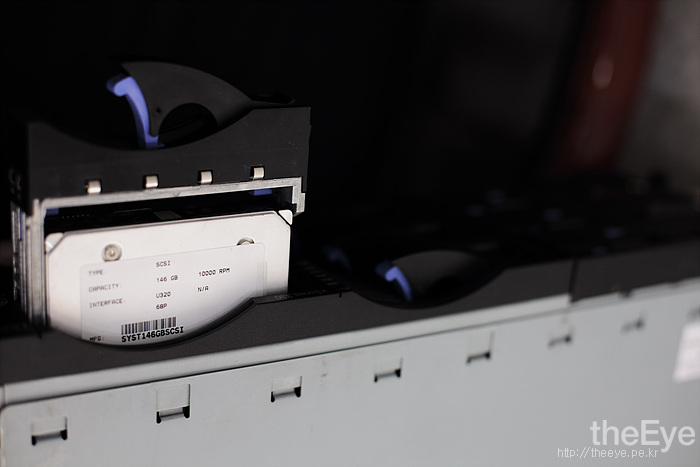 이 작업은 2U Rackmount 서버기반의 SATA-II HDD로 이루어졌습니다.